Today, Yasa Ltd is proud to introduce Email Template Customizer, a powerful WordPress plugin that transforms default WordPress email notifications into beautiful, branded communications that match your website’s identity.
WordPress sends numerous email notifications to users and administrators daily – from password resets to comment notifications. However, these default emails are plain, unbranded, and often look unprofessional. This disconnect between your carefully designed website and generic system emails can diminish user trust and brand consistency.
Email Template Customizer Matters for Your WordPress Site
Every email your WordPress site sends represents your brand. When a new user registers, requests a password reset, or receives a comment notification, they should see a professional, branded message – not a plain text email that looks like it came from the 1990s.
Brand Consistency: Customized emails that match your website design reinforce brand identity and professionalism. Users immediately recognize communications from your site.
Trust and Credibility: Well-designed emails signal legitimacy and attention to detail. This is especially important for membership sites, e-commerce platforms, and professional services.
Improved Communication: HTML Rich Formatting allows you to structure information clearly with headings, bullet points, and emphasis – making important information easier to digest.
Better Engagement: Professional emails encourage users to take action, whether that’s completing their registration, resetting their password, or engaging with comments on their posts.
Complete Control Over WordPress Email Notifications
User Registration Emails
Customize welcome emails sent to new users and admin notifications when someone registers. Add your branding, include helpful links to get started, and set the right tone from the first interaction.
Password Management
Personalize password reset requests and confirmation emails. Guide users through the process with clear instructions and branded design that builds confidence in the security of their account.
Account Updates
Modify email and password change notifications to reflect your site’s voice and style. Keep users informed about account security while maintaining brand consistency.
Comment Notifications
Transform comment notifications for post authors and moderation alerts for administrators. Make it easy for users to engage with their audience through well-formatted, actionable emails.
Key Features Built for Flexibility
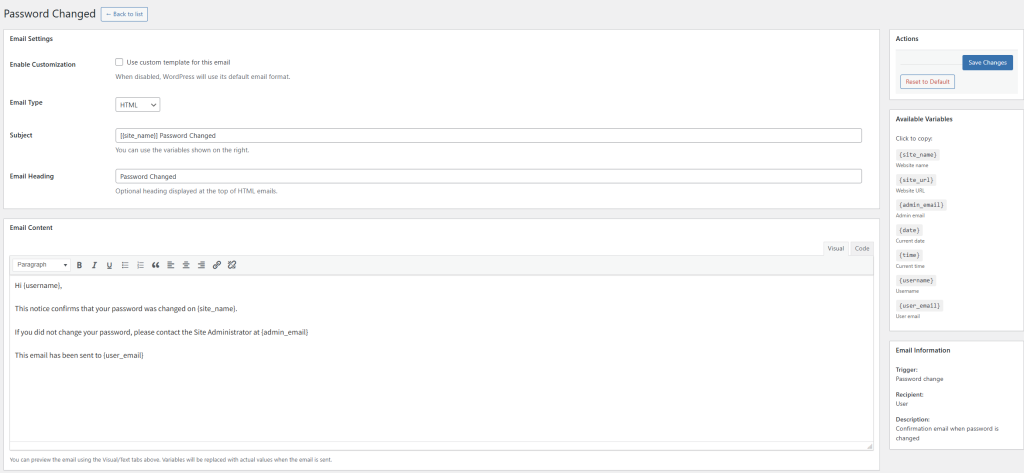
The plugin leverages WordPress’s native visual editor, making email customization accessible without any coding knowledge. Site administrators can preview changes in real-time, use dynamic variables for personalization, and switch between HTML and plain text formats based on their needs.
Dynamic Variables: Insert personalized content like usernames, site names, and specific links that automatically populate with the correct information for each recipient.
Custom Sender Information: Set your own “From” name and email address to ensure all WordPress emails come from a recognizable source.
Global Footer: Add a custom footer to all emails with important links, social media, or legal information – edit once and it applies everywhere.
Safety Net: Every template includes a “Reset to Default” button, allowing you to restore WordPress’s original email format if needed.
Seamless Integration with WordPress
Email Template Customizer works alongside your existing WordPress installation without conflicts.
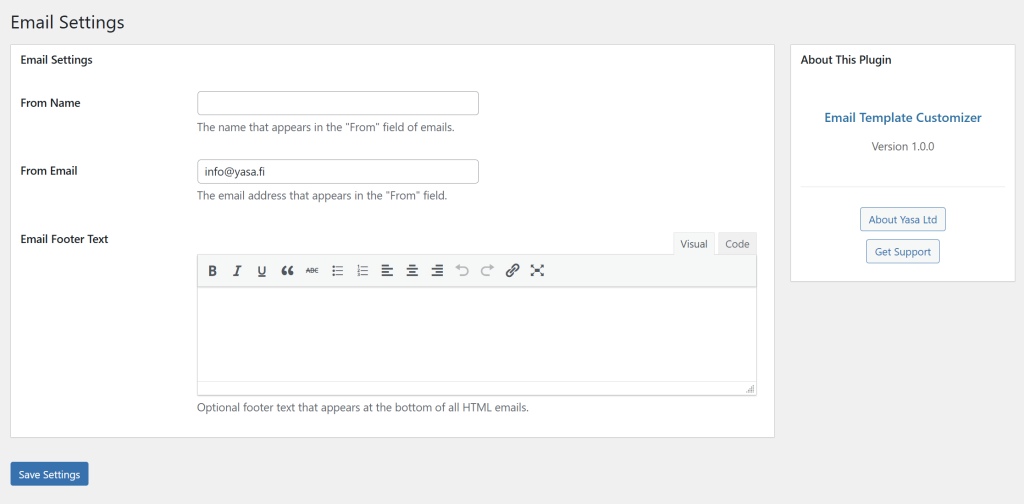
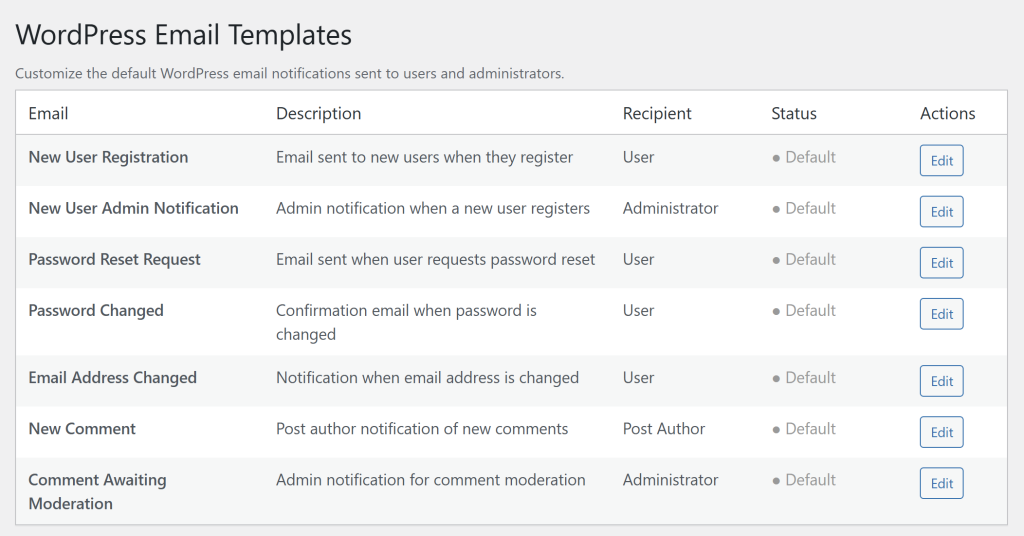
Installation takes minutes through the WordPress plugin repository. Once activated, you’ll find a new “Email Templates” menu in your admin dashboard with an intuitive interface that lists all customizable email types. Click any email to edit its subject line, heading, and content using the familiar WordPress editor.
The plugin is translation-ready, works with multisite installations, and follows WordPress coding standards for security and performance. Regular updates ensure compatibility with the latest WordPress versions.
Getting Started with Email Template Customizer
Email Template Customizer is available now in the WordPress plugin repository. Simply search for “Email Template Customizer” in your WordPress admin dashboard under Plugins > Add New, install, and activate.
After activation, navigate to Email Templates in your admin menu to see all customizable email types. Start with high-impact emails like new user registration or password reset, then expand to other notification types as needed.